WordPress.com and WordPress.org sound like 2 addresses for the same service. They aren’t.
Here’s the short answer: WordPress.com is a hosted, commercial platform run by Automattic — it hosts WordPress for you, with free and paid plans. WordPress.org is the free, open-source WordPress software itself, which you download and install on web hosting you choose. Same software underneath; the difference is who hosts it and how much control you keep.
WordPress.com vs. WordPress.org: Same software, different offer
WordPress powers 41.2% of all websites, per W3Techs (July 2026). The New York Times Company, Usain Bolt, and NASA are just some of the well-known brands in the official WordPress showcase.
What makes it so popular?
Unlike many systems, WordPress is available both as a hosted platform and as free software. This means you can choose the version that best suits your needs.
WordPress.com puts the software on a hosted platform. It offers a limited free plan for bloggers on a budget, and paid upgrades for more demanding site owners.
WordPress.org is free, but you need to purchase hosting to use it properly. It provides the whole range of features as standard.
Both are built on the same open-source WordPress software, but WordPress.com adds a managed hosting platform around it.
The only difference? The delivery.
What is WordPress.com?
WordPress.com
WordPress.com is the hosted version of WordPress. Since it provides a completely free plan option, WordPress.com is a popular platform for blogging and personal websites.
WordPress.com is the hosted, commercial version of WordPress, run by Automattic — it runs the software for you on its own servers. It’s also how most people first encounter the WordPress brand: per WordPress.com’s own published stats, over 409 million people view its sites every month.
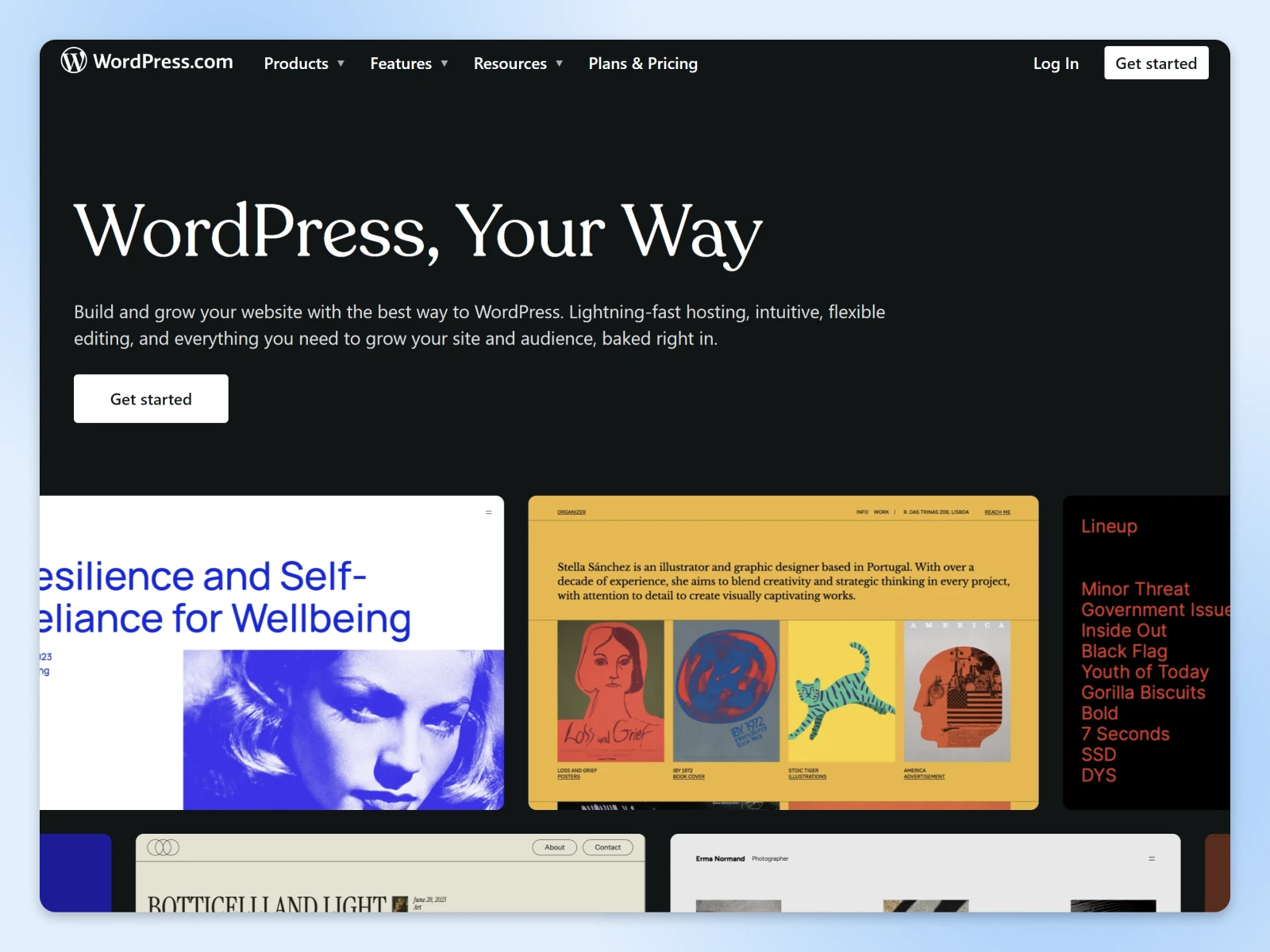
The primary benefit of using WordPress.com is that you can build and host your own website on a subdomain at no cost.
Who doesn’t like free, right? The 70 million new posts added to WordPress.com sites each month are proof.
WordPress.com also supplies ever-so-pretty themes (basically, design templates) that you can use to customize the look of your blog or website. Many of these templates are free, but you can purchase a premium theme if you fancy something different…or fancier.
All it takes is a few clicks without breaking the bank, and your website is up and running. Et voilà! (WordPress.com now even offers an AI website builder that drafts a complete starter site from a short description.)
The hidden costs of a free website
Yes, we said no cost…upfront. Let us explain.
To build a functional website, you need a few things:
- Your own domain name.
- A web hosting package.
- A content management system (CMS) like WordPress.
WordPress.com provides all the essentials mentioned above, and you don’t need any technical knowledge to build your site. It almost feels as easy as setting up a social media profile.
Now, onto the fine print.
WordPress.com is owned and operated by the web company Automattic. When you set up a site on the platform, you’re really just claiming a space on their servers.
You own your content and data, but you don’t control the platform underneath them. Your site remains subject to WordPress.com’s plans, features, and terms.
In other words, it won’t cost you a dime — but there’s a price to pay in terms of control and flexibility.
The pros and cons of WordPress.com
Control is one of the many pros and cons that define WordPress.com. If you’re thinking about setting up a site, it’s definitely worth exploring the potential benefits and pitfalls:
1. Free (but limited) storage space
There is no cost to set up or house your website on WordPress.com. However, the platform does restrict storage space to 1GB for free accounts. So, if you want to include high-quality videos or photos on your site, you’ll need to upgrade to a paid plan.
2. Living on a subdomain

How many well-known brands have .wordpress.com at the end of their website address?
Basically, none.
If you want to move away from hosting your site on a subdomain of WordPress, you’ll need to upgrade. You will also need to make alternative arrangements if you want a branded business email address.
3. Built-in metrics
To gauge whether your new site is proving popular, we recommend tracking a few important metrics, such as bounce rate and conversion rate. Ideally, you would collect this data on your own terms.
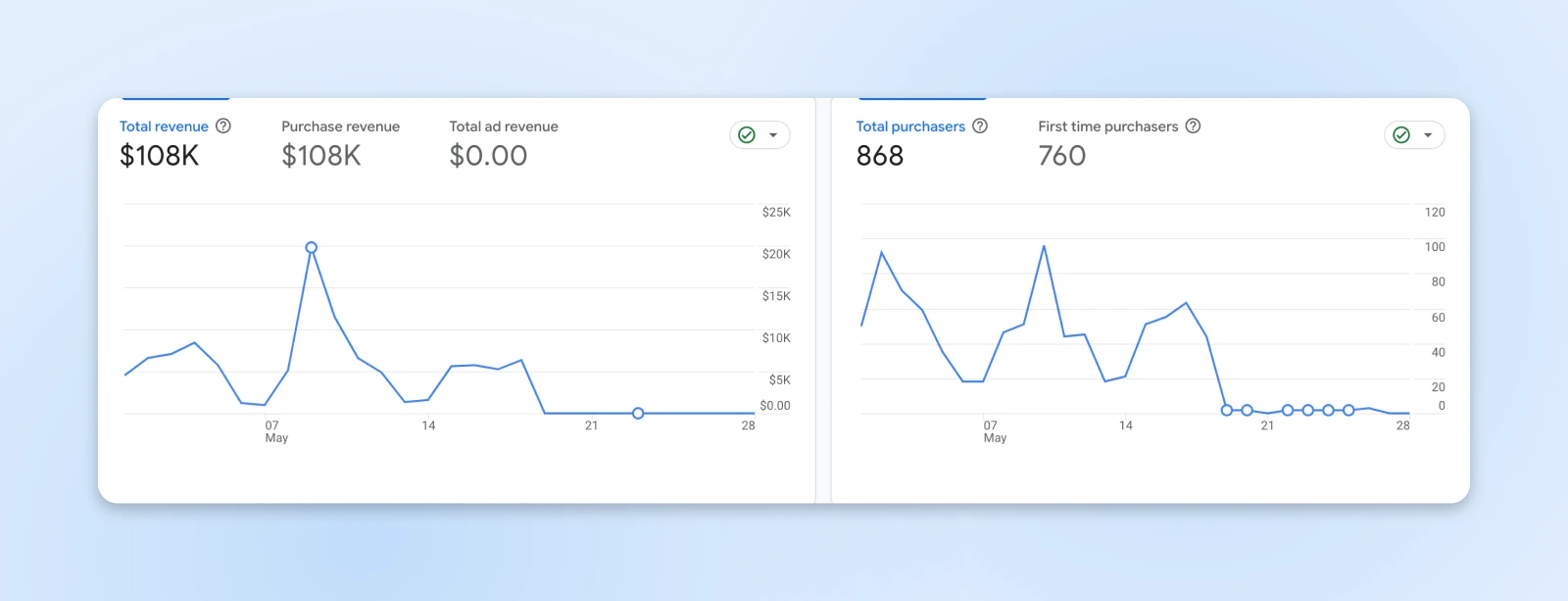
WordPress.com offers a small set of analytics tools, although they’re really quite limited. On the free plan, you can’t install your own plugins, so you won’t have access to third-party tools such as Google Analytics.
To install plugins — analytics tools like Google Analytics included — you’ll need a paid WordPress.com plan. As of July 2026, plugin access starts with the Personal plan.
4. WordPress ads (ugh)
If you build your site using the free plan, WordPress.com may place ads on your site without your permission. You have no control over their content or placement, and none of the advertising revenue goes to you.
Removing the ads or earning income from them involves — you guessed it — upgrading to a paid plan.
5. Design options
The free plan on WordPress.com comes with just the basics in terms of design customization. With a limited selection of themes to choose from, some free sites can end up looking quite similar.
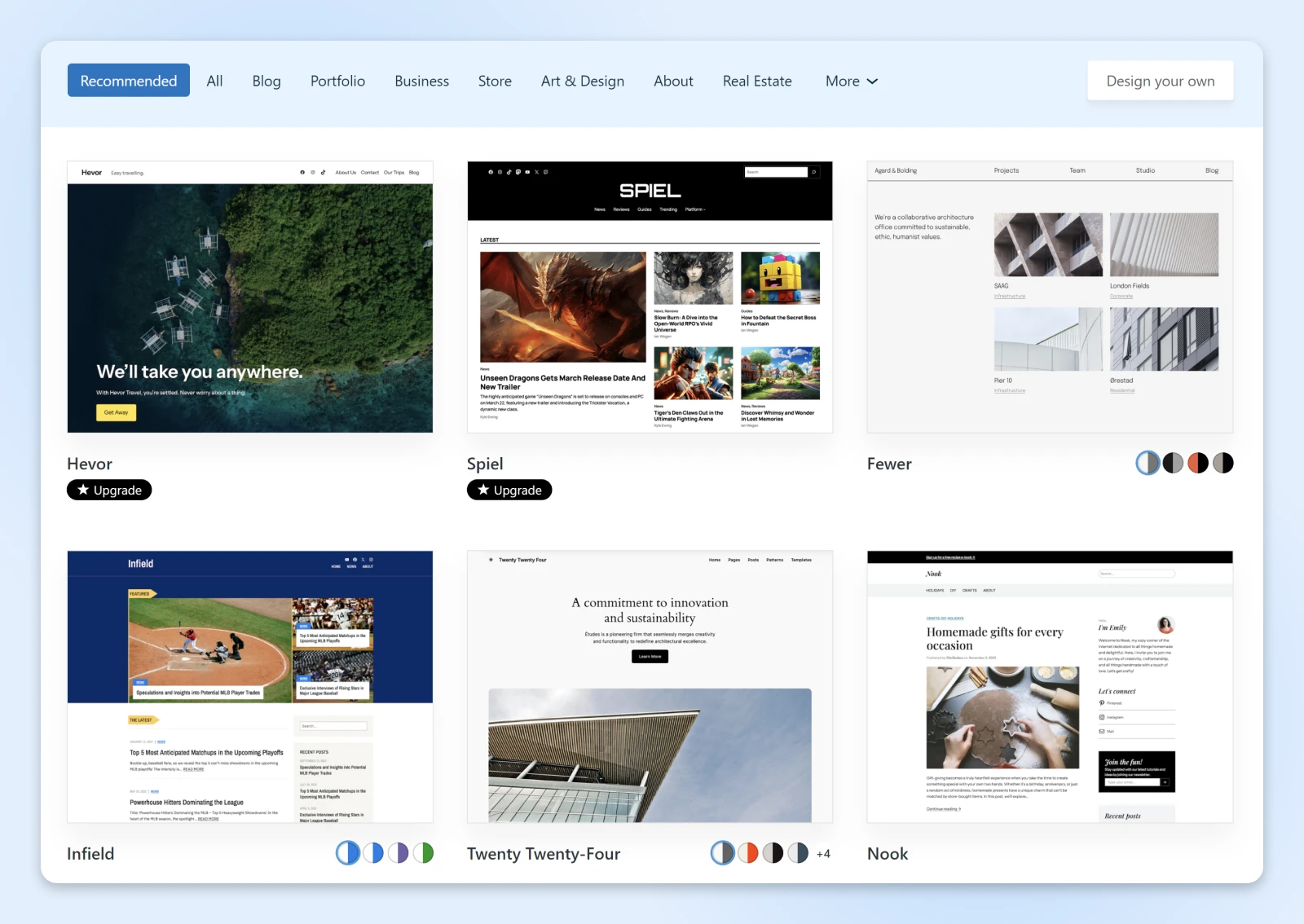
You’ll need to upgrade if you want to experiment with third-party themes and plugins. Paid plans also give you access to custom CSS, allowing for more control over the look of your site.
6. Monetization rules
Have an eye for business? If you’re planning to make money online, be aware that the WordPress.com basic plans come with some heavy restrictions. You can’t add your own Google AdSense placements, and there are some very specific guidelines for affiliate linking and sponsored posting.
In terms of e-commerce, WordPress.com does allow you to sell online. However, there’s a caveat — the platform charges tiered transaction fees on payments — 10% on the free plan, dropping to 0% only on the Commerce plan.
WordPress.com: Renting online real estate
If you only care about building a no-frills online presence, WordPress.com is a great option. From start to finish, you could get a whole website up and running in a matter of minutes.
WordPress.com is also a good choice if you’re a little apprehensive about the technical aspects involved in creating and maintaining a website. Or, if you want to dip your toes in with blogging before really committing to a full-fledged site. You can always extend the experiment and migrate your content to your own self-hosted site later down the line.
One caveat before you bank on that plan: leaving WordPress.com takes more than clicking “export.” The built-in export tool carries over your posts, pages, and comments, but media files need downloading and re-uploading, email subscribers move separately through Jetpack, and pointing your old address to the new site — the part that preserves your SEO — is a paid WordPress.com feature.
However, if you’re trying to build an authoritative brand right off the bat, think twice before setting up a WordPress.com website.
While this platform does allow you to customize and monetize your site to some extent, you’re limited in how much you can do. And these add-on features come at a higher price than you’d normally pay for web hosting.
Think about it this way: WordPress.com is like renting an apartment versus owning a home.
On the upside, you don’t have to worry about site maintenance or security. As a tenant, though? You have little control over the decor and you can’t build a worthwhile extension to your digital space.
What is WordPress.org?
WordPress.org is the free, open-source WordPress software itself — you download it and run it on hosting you choose. It’s often called self-hosted WordPress.
Created in 2003 by Matt Mullenweg and Mike Little, the WordPress.org software is based on open-source code and is distributed under the GNU General Public License. That means it’s free to use, fairly easy to modify, and lets you build your own projects on top of it.
Open Source
In software development, open source projects are free for anyone to download, use, modify, and distribute. WordPress is an example of open source software, although it’s far from the only one.
You can download the code directly from the WordPress.org homepage. As of July 2026, the current major release, WordPress 7.0, has been downloaded more than 38 million times and counting! Version 7.0 builds on the block editor — the drag-and-drop editing experience that both WordPress.com and WordPress.org sites share — adding real-time collaboration and AI-provider integration.
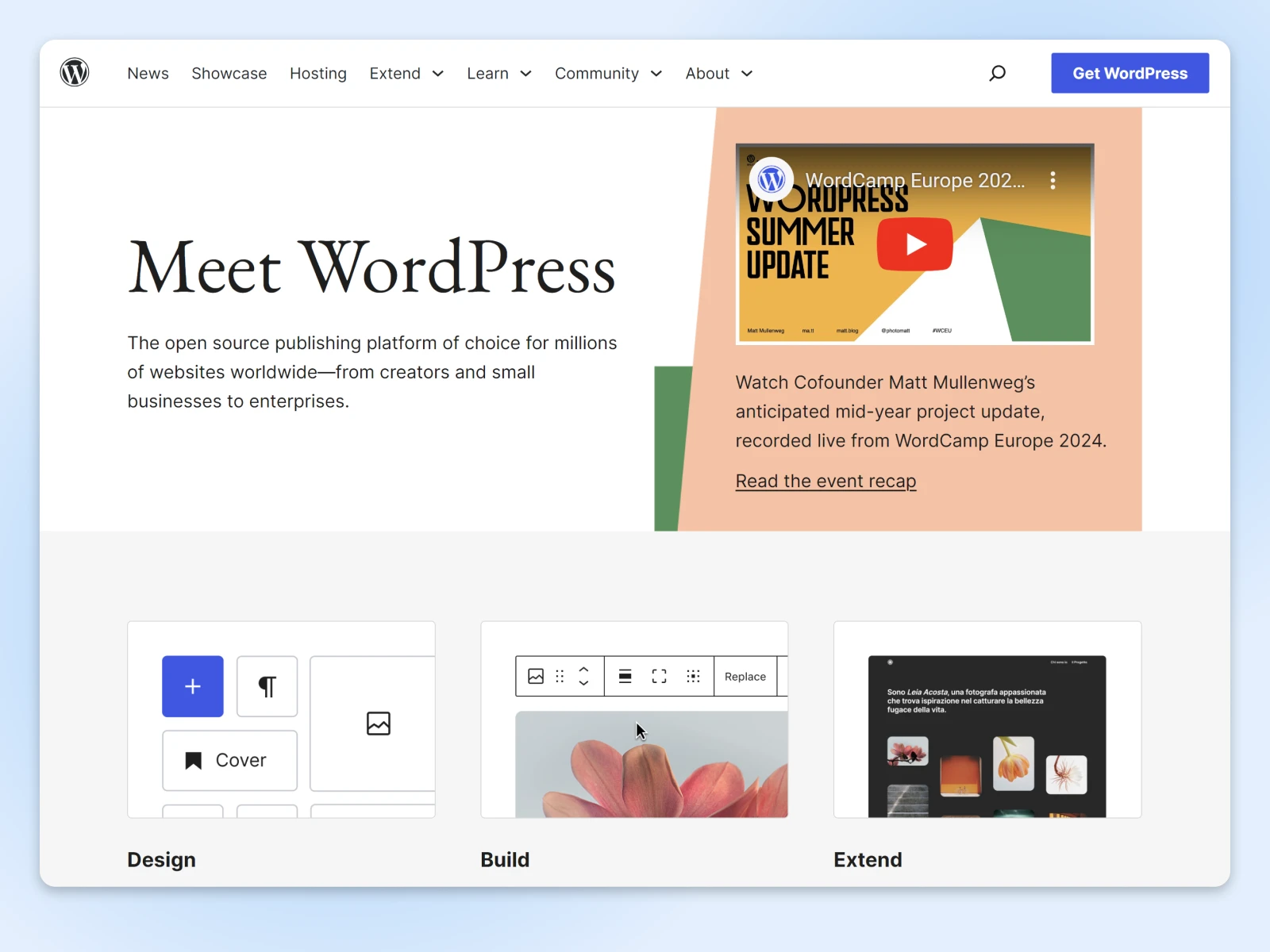
This source code is a framework that provides the structure to build and customize your self-hosted WordPress site. Everything else is open for customization: edit your theme’s templates, register custom post types, or bolt on WooCommerce, the store plugin running on 19.8% of all WordPress sites (W3Techs, July 2026).
To return to our earlier analogy, using WordPress.org is like owning your home. You have total control over your real estate, and you can make alterations as you please. This means you have additional responsibilities too, of course — but for most people, the trade-off will be worthwhile.
To make your website accessible to visitors online, you will need to set up your site with a reliable web host. The hosting service you choose will dictate how many visitors you can receive each month, how much storage space you get, and what kind of technical support you can expect.
Good hosting doesn’t have to be expensive. DreamHost web hosting covers everything you need to build a strong online brand, and you’ll find current plan pricing right on the product page.
Aside from the support provided by your web host, WordPress.org offers extensive documentation to help you shape your site. You can also find answers to common issues in the WordPress community forums.
The pros and cons of WordPress.org
This all sounds very promising. Now, let’s get back to WordPress.org vs. WordPress.com.
Here’s a quick like-for-like comparison:
1. Choose your own hosting
WordPress.org doesn’t come with any hosting, but that means you can choose the plan that suits your project. Need more space or bandwidth? You can just switch to a different hosting provider or plan. (Like us!)
2. Register your own domain
You don’t automatically get a domain with WordPress.org. However, most good web hosts (again, like us) include at least one free domain in some of their hosting packages. This means you can host your site on a unique domain from day one.
3. Your own metrics
You can choose any metrics solution you want with WordPress.org. The only downside is that you’ll need to configure these systems yourself. But, with plugins like Site Kit by Google, this configuration is as easy as connecting to your Google account.
4. Unlimited design options
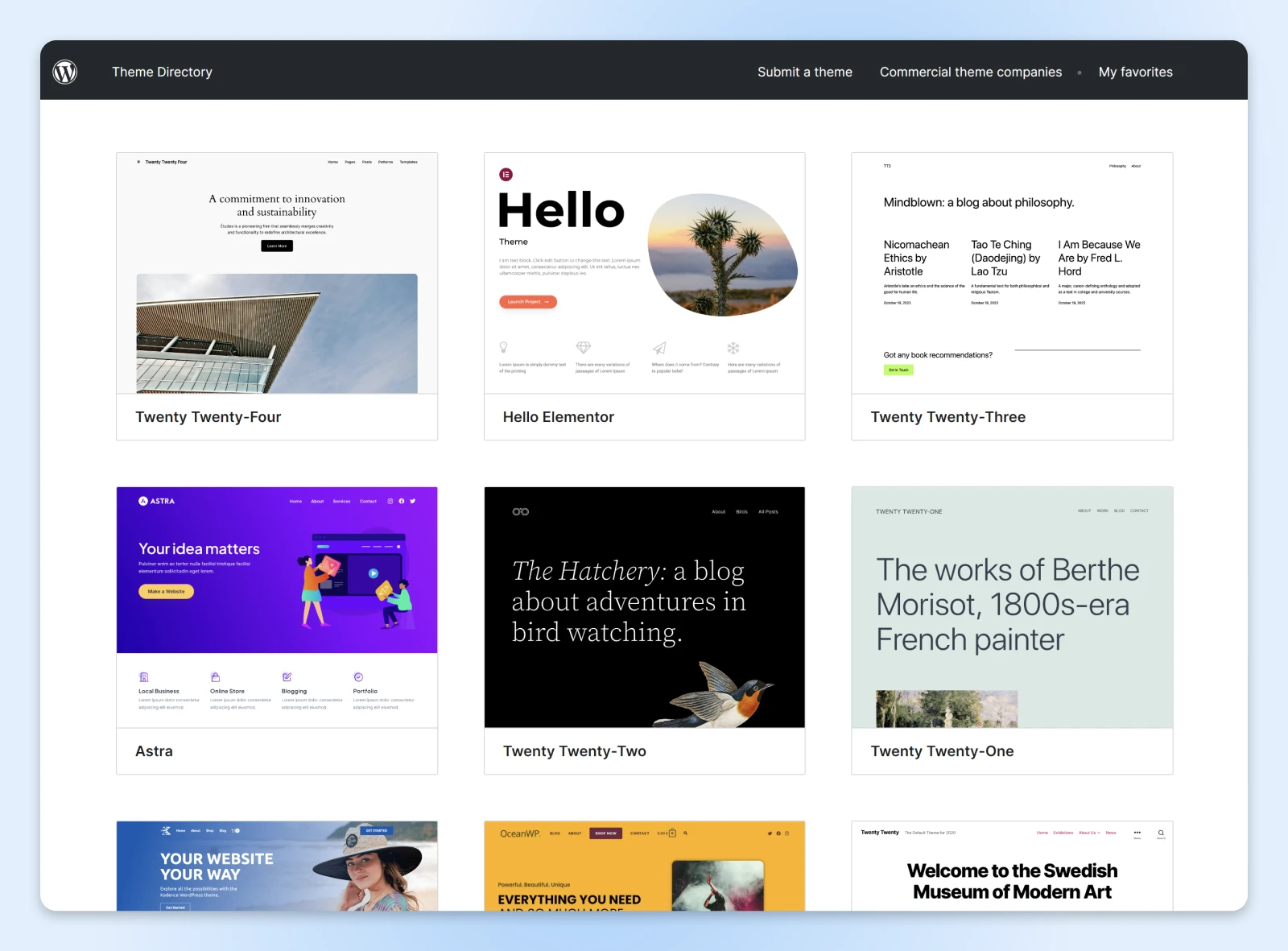
As with WordPress.com, you have access to free themes with WordPress.org. In fact, the official WordPress.org directories list over 14,000 free themes and more than 68,000 free plugins (WordPress.org, July 2026). Just as importantly, you can customize these designs however you want. If you want to purchase a premium theme or build your own, that’s also an option.
5. Custom monetization
With a self-hosted WordPress.org website, you won’t see any unwanted ads popping up on your site. What if you want to insert your own ads? You have total freedom. The same goes for accepting payments for your e-commerce business.
WordPress.com vs. WordPress.org: A side-by-side comparison
Let’s look at the pros and cons stacked up together.
| WordPress.com | WordPress.org | |
| Pros | – Free to set up and host with 1GB storage – Easy to start with a subdomain – No ads on paid plans – Basic design customization – Minimal technical maintenance required – Good for simple, no-frills online presence | – Flexible storage with chosen hosting plans – Can use unique domain from the start – Full control to use any metrics solution – No unwanted ads – Unlimited design options with full theme customization – Complete freedom to monetize as desired – Highly flexible, allowing full customization and control |
| Cons | – Limited storage on free accounts; requires paid plans for more space – Uses a subdomain unless upgraded to a paid plan – Ads may be placed on free sites without user control – Limitations on design and customization options – Restricted monetization options; higher-tier plans needed for full control – Limited by WordPress.com’s constraints and rules | – Requires purchasing hosting separately – Requires purchasing and registering your own domain – Requires setup and configuration – Requires managing your own ad placements – Requires more technical know-how and site maintenance |
As the list above indicates, WordPress.org is generally the more flexible option. The primary reason some people opt for WordPress.com is because they’re concerned about setting up self-hosting.
How to create a self-hosted WordPress website
What exactly is involved? Here are the main steps:
- Find a web host.
- Install WordPress.
- Customize your site.
Let’s dig a little deeper into each of these.
Step 1: Choose your WordPress.org hosting
A web host is a company that provides space on a server where your website is stored and made accessible on the internet. There are loads of hosting options out there, each providing something a little different.
DreamHost offers additional perks through its web hosting plans, like a free domain for the first year and unmetered bandwidth. The best part? DreamHost has hosted WordPress sites for over 20 years, with one-click installs and in-house WordPress support.
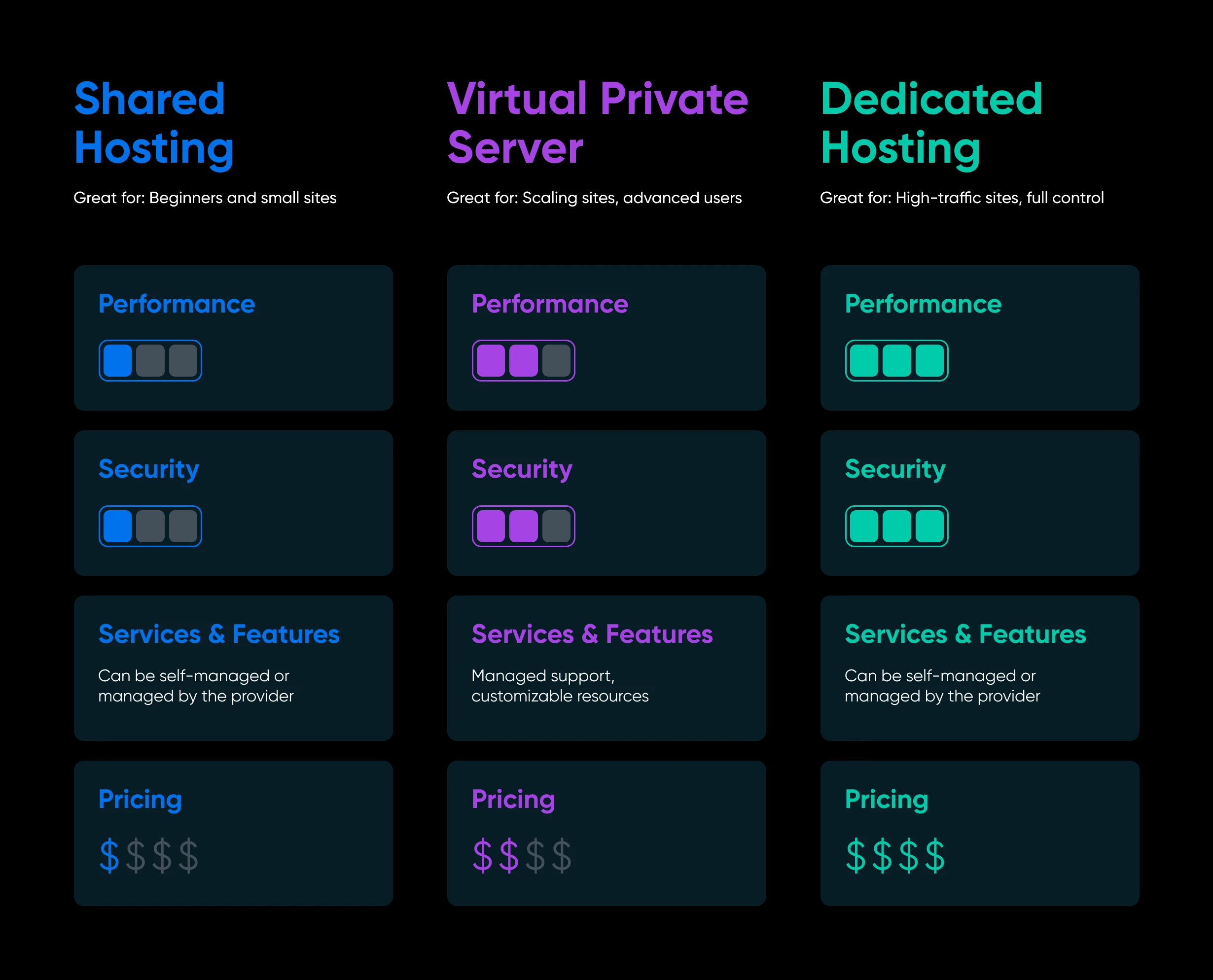
After you decide on a hosting provider, there’s still the matter of choosing the right hosting plan for your website. Here’s a quick reference guide to the most common types of hosting:
Shared hosting
Your website or blog is placed on a server with other sites, so the cost for the hosting is shared amongst the clients. The catch: heavy traffic to other sites on your server may affect your website’s performance.
Virtual private server
A VPS acts as multiple virtual servers, even though users share one physical server and resources — a step between shared hosting and a dedicated server. To learn more, check out our beginner’s guide to VPS.
Dedicated servers
Hosting your WordPress.org site on a dedicated server gives you maximum control and resources at a higher cost. You don’t have to worry about sharing resources with other sites.
Managed WordPress hosting
Want the convenience of WordPress.com with the control of WordPress.org? That’s what you get with managed WordPress hosting plans.
The idea here is that your web host handles all the technical aspects of WordPress hosting — such as updates, security, and backups — leaving you free to experiment with themes, plugins, code, and content. It’s a great option for beginners and busy site owners alike.
Pro tip: With our DreamPress managed hosting, site response times can be up to 6x faster, per DreamHost’s own benchmarks (August 2025) — actual results vary by site and region. (Seriously.)
Step 2: Install WordPress
Most good web hosts make it pretty easy to set up WordPress.org. At DreamHost, we offer one-click installers on all our hosting plans. If you choose a managed plan, we’ll set up WordPress for you.
If you don’t have this option with your host, you will need to download and install the WordPress software online. To help guide you through the process, we created a handy tutorial on WordPress installation.
Step 3: Customize your site
The final step is to configure and customize your site. With a self-hosted site, you can go wild with themes, add the perfect plugins, and use custom code to make it truly your own.
Remember, with extra control comes greater responsibility. So, we recommend making regular backups and taking security precautions to protect against spam and errors.
In general, we strongly recommend that you read the extensive documentation provided by WordPress.org. These guides and courses will help you to achieve your goals without running into problems again and again.
WordPress.com vs. WordPress.org: The choice is yours
Your choice of WordPress.org or WordPress.com truly depends on what you want to achieve, and how much you’re willing to spend.
Here’s a simple way to run the first-year numbers. For WordPress.com, total up the plan tier that actually gives you what you need (a custom domain, plugins, monetization), plus any premium theme. For self-hosted WordPress.org, add up a domain name (typically $10–$20 per year), a hosting plan, and any premium themes or plugins. For a basic site, self-hosting usually comes out cheaper, and the gap widens as your feature list grows.
WordPress.com is the rental option, where convenience comes at a cost. WordPress.org requires a little more effort, but you can expect lower costs over time and more control.
If you decide to go down the WordPress.org route, it’s important to choose the right hosting. Check out DreamHost web hosting if you’re looking to get a site online at a budget-friendly monthly rate.
Alternatively, you can make life easy with DreamPress managed hosting and get a speed boost while you’re at it!
FAQs about WordPress.com vs. WordPress.org
Can I move from WordPress.com to WordPress.org?
Yes. WordPress.com’s export tool packages your posts, pages, and comments for import into a self-hosted site. Plan for the extras, though: media files need re-uploading, subscribers transfer via Jetpack, and redirecting your old address is a paid WordPress.com feature.
Is WordPress.org really free?
Yes. The WordPress.org software is free, open-source, and licensed under the GNU General Public License. What you pay for is everything around it: a domain name, web hosting, and any premium themes or plugins you choose.
How much does WordPress.com cost?
WordPress.com offers a free plan plus paid tiers (Personal, Premium, Business, and Commerce) that add storage, plugin access, and monetization features. Current prices are listed on the WordPress.com pricing page.
Do I need hosting to use WordPress.org?
Yes. WordPress.org is software you install on a web server, so you need a hosting plan and a domain name to put your site online. Many hosts, including DreamHost, offer one-click WordPress installs.