You don’t have to be a Kardashian to take social media seriously. Posting great content is a proven way to earn the attention and trust of your potential customers.
The trick is doing it without making social media a second job. That’s where automation comes in.
What is social media automation?
Social media automation is the use of software to handle repetitive social media tasks — scheduling and publishing posts, recycling evergreen content, replying to common questions, and tracking performance — without manual effort. Automation keeps your accounts consistently active so you can spend your time on strategy, creativity, and real conversations with customers.
In practice, you can automate most of the repetitive work: scheduling (Buffer, SocialBee), recycling evergreen posts (Sendible), cross-posting new products and blog posts (Zapier, Make), and answering common questions. What shouldn’t you automate? Strategy, sensitive conversations, and anything that needs human judgment. The tools handle the repetition; you handle the relationships.
Why bother? The DreamHost 2026 Local Business Trust Index, a survey of 1,200+ U.S. consumers conducted in November 2025, found that consumers discover businesses on TikTok, Google, and AI — and 58% then check a business’s website to confirm what they saw. Social media is where discovery happens.
But unlike members of a famous reality TV family, you probably don’t have all day to take selfies and update your stories.
Automation is the way out. Instead of posting by hand, you can use social scheduling tools and smart workflows that keep your accounts active without touching them every day.
Here’s how to build a social following for your business without growing your task list.
Content calendar and scheduling
Success on social media starts with posting consistently. There’s no magic daily quota; what matters is a cadence you can actually keep up.
To make this sustainable in any way, you need to plan ahead. Marketers will often use a calendar to plan out and schedule social content, sometimes months in advance.
Filling your calendar
To follow suit, you first need some ideas. A lot of ideas.
While it might be tempting to book a week in the tropics for brainstorming, there’s actually a much faster way.
Modern social media management platforms like Buffer, SocialBee, and Predis.ai offer built-in tools that help you create a winning calendar in a few clicks.
Here’s how it works in SocialBee:
- Set up your profile: Once you’ve signed up with SocialBee, head to the Copilot tool via the sidebar. Here, you can enter your business website.
- Fine-tune your business details: If you’re not quite happy with what Copilot has grabbed, you can make changes now.
- Get channel recommendations: Copilot will rate the likely relevance of each major social platform to your business. Pretty cool, no?
- Decide on your content categories: You also get suggested content types; you can adjust them as you see fit.
- Generate post ideas: SocialBee uses all the information above to create a selection of draft posts, complete with images and captions.
- Edit, approve, and schedule: Add the posts you love to your calendar, and lose the ones you dislike.
Another approach is to curate existing content and turn it into something new.
SocialBu — not to be confused with SocialBee — has a dedicated curation tool built exactly for this. You can filter your feed, pick out the best posts, and then get AI to generate your own version.
Smart scheduling
You’ve now got some content. The next task is to decide when to share it.
SocialBee can create a posting plan for you and automatically add your AI-generated posts to your calendar.
If you want something more personalized, you could try scheduling your content with Buffer’s Answers feature. This looks back at your past performance to determine the best times to post for your Instagram audience.
You can then set this as your new schedule, and new posts will automatically be queued up in the optimal time slots.
One question worth answering directly: will publishing through a third-party tool hurt your reach? No. Instagram head Adam Mosseri has confirmed that scheduled posts don’t receive lower reach, and platform documentation never states that posts published through approved scheduling APIs get less distribution (per SocialBu, July 2026). The real constraints are technical. Per Buffer’s Instagram documentation, automatic publishing works only on Instagram Business and Creator accounts (personal accounts get a mobile notification to finish the post manually), and each post has to fit the platform’s accepted formats and aspect ratios. Plan around those API rules, not reach myths.
Evergreen content recycling
Evergreen content is timeless by design. You could post it over and over again for years, and people will find value time and time again.
Some examples:
- Anniversaries/Annual holidays
- How-to guides
- Customer success stories
- Testimonials
- Inspiring quotes
Posts like these earn their keep twice: they fill calendar gaps and deliver value every time they run.
Just don’t go repeatedly scheduling them by hand. We can automate that.
Sendible is our tool of choice here:
- Set up your queue: After completing your profile, visit the Publish tab and select Queues. Then, hit the New Queue button in the top bar.
- Enable smart scheduling: In the Queue settings menu, toggle on Recycle Messages.
- Start adding content: Click the big blue Compose button in the top-right corner to create your first post.
- Select your queue: Choose the Queue tab at the bottom of the pop-up panel, and make sure your newly created queue is selected.
- Save your post: Hit Add to Queue once you’re finished.
Sendible will then periodically repeat posts in your smart queue automatically.
In the “Calendar” view, you’ll also find the option to enable all major holidays. Click on any of these posts, and Sendible will set up a new post draft and supply a suitable image.
Two safeguards for your queue
Before you fill months of calendar, set up two habits.
Know where the pause button is. When breaking news, a tragedy, or a business crisis hits, a cheerful scheduled post can land badly. Learn how to hold or empty your queues in your tool of choice before you need to, and review everything scheduled for the next few days before letting posts resume.
Audit your recycled posts. Evergreen doesn’t mean immortal. Once a quarter, skim your recycling queue for expired offers, dead links, outdated screenshots, and claims that have drifted out of date. Cut or refresh anything stale.
How to automate social media posting with triggers
Automated social media posting works by pairing a trigger (something new happening in your business) with an action (a post going out on your channels). When the trigger fires, the post publishes itself, no manual steps. Zapier and Make are useful for this; both platforms have numerous templates.
For example, with this pre-made Zapier automation, any photo you add to a Dropbox folder is automatically turned into a new image post on your business Instagram account.
You can also turn website updates into content using these platforms, such as posting new products on your Shopify store as images on Facebook.
Other cool ideas for triggers include:
- New sales on your online store
- Incoming customer reviews
- Site monitoring updates
- YouTube videos going live
Any kind of visible update about your business could be made into social content.
Repurposing
Do you blog? Record podcasts? Upload videos? These can all be converted into social content. Buffer has an AI tool that lets you repurpose written content for different networks and post across those channels.
Better still, you can cut yourself out of the process completely.
With tools like Zapier and Make, you can set up automations to repurpose new articles into social content and publish the posts automatically.
For instance, this Zapier automation grabs posts from your blog and posts them on Facebook and LinkedIn.
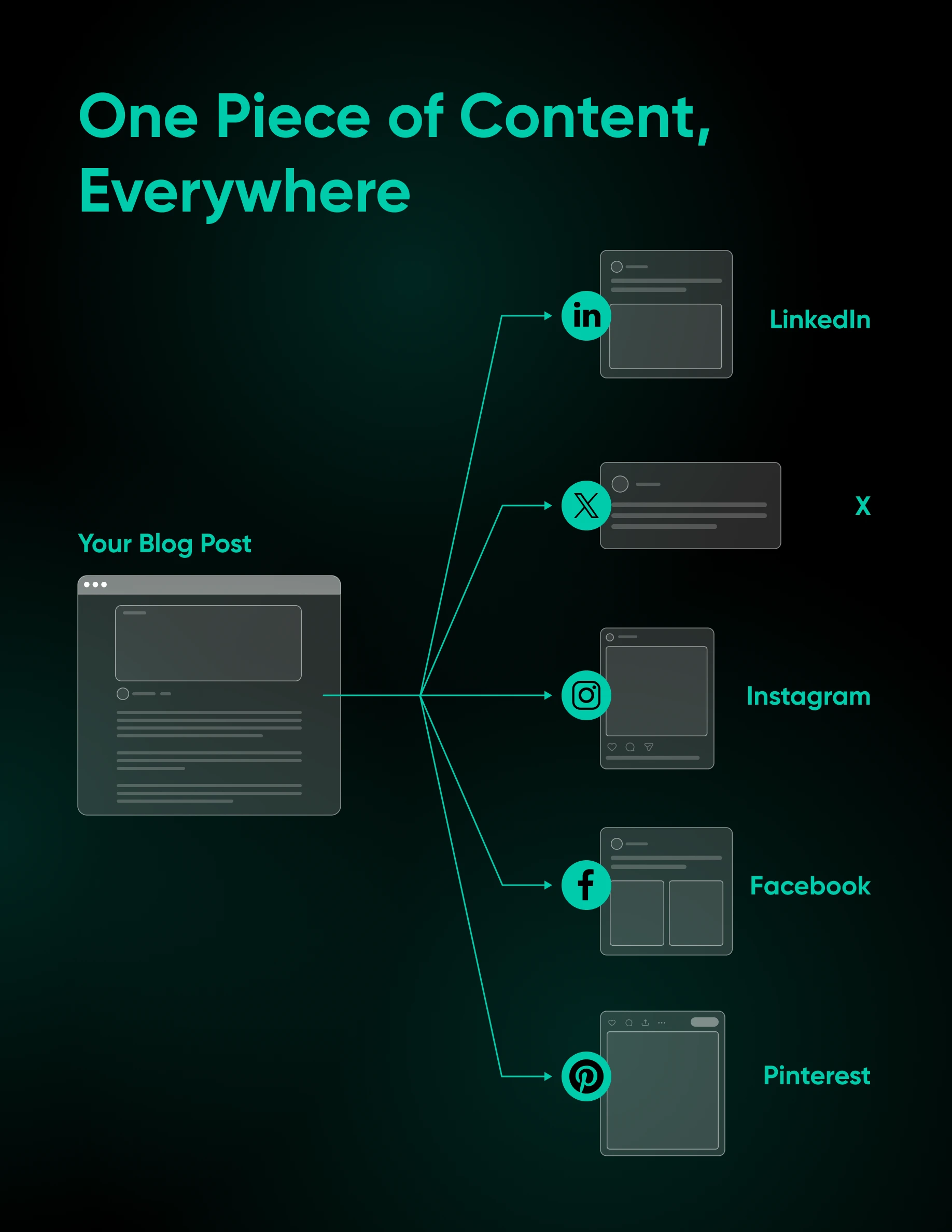
For images and video, dedicated tools like Repurpose.io allow you to share stories and posts on multiple platforms. This particular platform supports automated workflows that resize your videos to fit each platform, remove watermarks, and publish everywhere without manual effort.
Automating engagement and replies
Publishing isn’t the only thing you can hand off. The repetitive conversations (“What are your hours?” “Do you ship internationally?”) can be answered automatically, too.
SocialBu, the curation tool from earlier, doubles up nicely here. Its Automate feature includes auto replies, and its Respond inbox collects messages, comments, reviews, and mentions in one place, so you can answer common questions faster and review conversations from one inbox.
One firm rule: automate the routine, never the relationship. Saved replies are perfect for FAQs, but the moment a conversation turns into a complaint, a refund request, or anything sensitive, hand it to a human. A canned response to an upset customer does more damage than a slow one.
Automated analytics and monitoring
Automation can also watch the numbers for you. Buffer’s Answers surfaces the best day, type, and frequency to post for your accounts, and SocialBu’s Analyze feature tracks post, account, and network performance, with no spreadsheet exports required.
Monitoring works the same way. SocialBu’s Listen feature tracks keywords, mentions, and conversations, so you hear about people talking about your business when it happens instead of a week later.
Book a recurring 15-minute slot each week to review what the tools collected, then adjust your calendar to do more of what worked.
Where automation goes wrong
Automation is a force multiplier, and it multiplies mistakes just as happily as wins. Four guardrails keep you out of trouble:
- Review AI output before it publishes. AI drafts can be off-brand, repetitive, or plain wrong. It’s why the SocialBee walkthrough above ends at “edit, approve, and schedule” instead of “post it all”: keep a human approval step between generation and publication.
- Vary content per platform. A caption written for LinkedIn reads stiff on Instagram, and blasting one identical post everywhere reads as spam. Let your tools do the adapting: Buffer’s AI Assistant rewrites posts per network, and Repurpose.io resizes videos and strips watermarks automatically.
- Keep sensitive conversations human. Complaints, refunds, and anything emotional deserve a person, not a template.
- Skip engagement-faking tools. Bots that mass-follow, mass-like, or buy engagement break platform rules and put your account at risk. They’re a different world from the approved scheduling APIs covered earlier; the tools in this post publish through the platforms’ official channels.
Which automation tool fits your business?
Every tool in this post earns its place for a different job. Here’s the short version:
| Tool | Best for | Standout feature |
|---|---|---|
| SocialBee | Building a calendar from scratch | Copilot AI strategy and draft posts |
| Buffer | Solo creators fine-tuning their timing | Answers insights plus AI repurposing |
| Sendible | Recycling evergreen content | Smart queues with Recycle Messages |
| SocialBu | Curation, replies, and monitoring in one | Curate, Respond, Listen, and auto replies |
| Predis.ai | AI-generated visuals and video ads | Generates creatives into a content calendar |
| Zapier / Make | Wiring your apps together | Trigger-based cross-posting templates |
| Repurpose.io | Video-first creators | Hands-free multi-platform video repurposing |
Social media automation FAQs
How do you automate social media posting?
Connect your accounts to a scheduling tool like Buffer, SocialBee, or Sendible, fill your content calendar in advance, and let the tool publish for you. For fully hands-off posting, platforms like Zapier and Make can turn blog posts, new products, and other updates into social posts automatically.
Can AI create social media content?
Yes. SocialBee’s Copilot generates draft posts with captions and images from your business details, and Buffer’s AI Assistant repurposes existing content for other networks. Always review AI drafts before they go live, since AI can produce off-brand or inaccurate content.
How often should you post on social media?
There’s no universal number. Consistency beats volume: pick a cadence you can hold for months, even a few posts a week, and use scheduling and recycling to keep it steady. An active, reliable account beats a burst of daily posts followed by silence.
Is social media automation worth it for a small business?
For most small businesses, yes. The setup takes an afternoon; the payoff is a consistently active presence without daily manual posting. Start small: schedule a week of posts, measure the time saved, and expand from there.
Which social media tasks should you automate first?
Start with scheduling: connecting a tool like Buffer or SocialBee and filling two weeks of calendar takes an afternoon and saves the most manual work. Then layer in evergreen recycling with Sendible and trigger-based cross-posting with Zapier. Leave strategy, community conversations, and anything sensitive to a human.
Extend your reach further
Social platforms are a great place to pick up new customers and promote your brand. And as we’ve seen, you don’t need to dedicate hours to managing your accounts.
Of course, all those followers need somewhere to land. If your website isn’t ready for the traffic you’re about to send it, DreamHost has you covered.
DreamHost offers affordable, reliable hosting for businesses of all sizes. And when you sign up, you get access to Remixer, DreamHost’s AI website builder. Describe what you want in plain language, and Remixer builds and publishes it. You can have a professional-looking site up in minutes.
Want to give it a try? Sign up for a hosting account today!

Stop Doing Marketing By Hand.
91% of marketers say automation helps them hit their goals. This 49-page ebook gives small business owners playbooks for email, SMS, social, paid ads, and analytics — running themselves while you focus on the work that actually moves the needle.
Get The Playbook