What is a Query String?
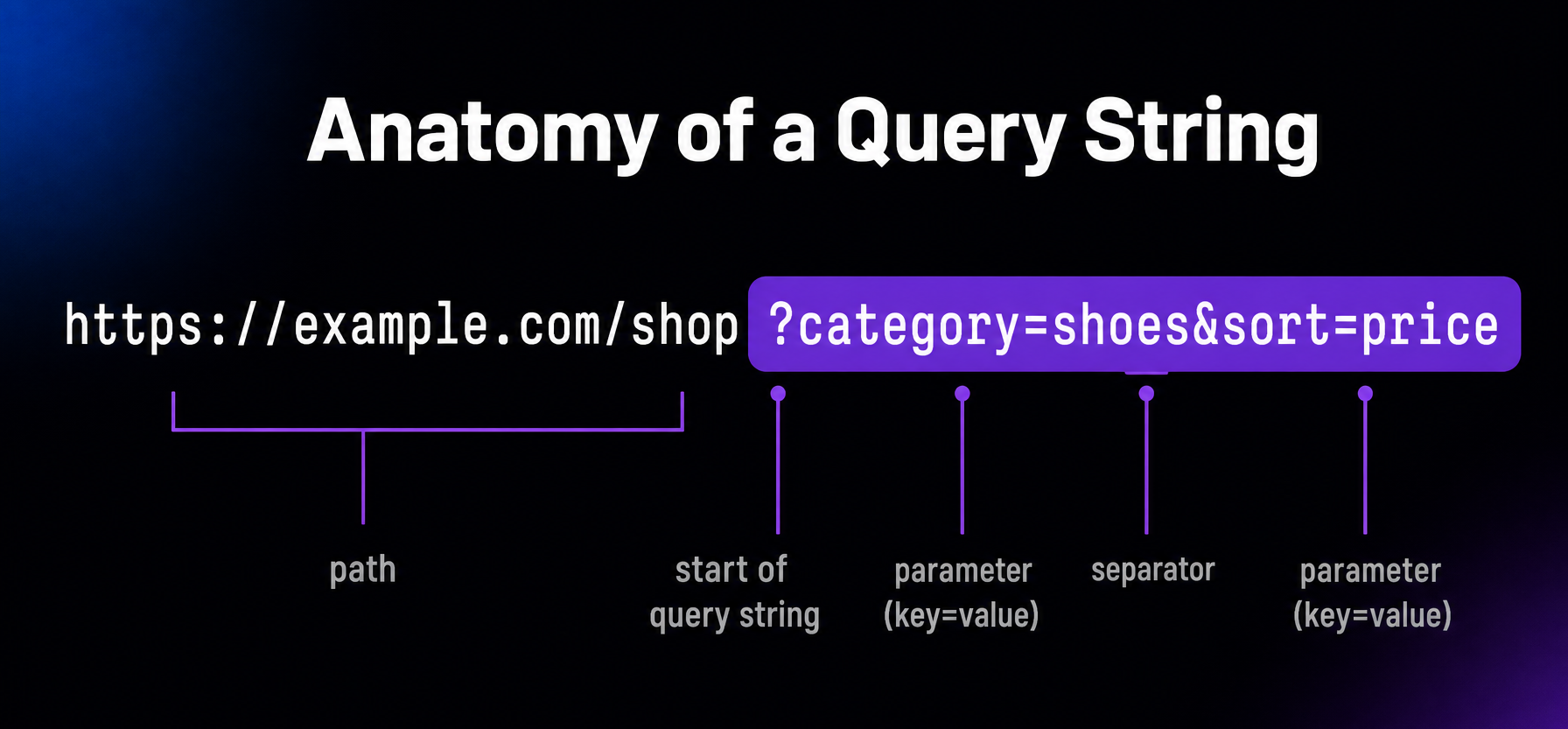
A query string is the part of a URL that comes after a question mark and passes extra information to a website or server. It holds one or more parameters, usually written as key=value pairs separated by ampersands — for example, ?category=shoes&sort=price. Websites use query strings for searches, tracking, filtering, and file versioning.
More About Query Strings
You can spot a query string in any URL by finding the question mark: everything after it, up to a # if the URL has one, is the query string, as the diagram above shows. The server or the page’s scripts read those values and change what you see: which search results load, which product variant displays, or which version of a file gets served.
What are query strings used for?
Most query strings do one of four jobs: search, tracking, filtering, or file versioning.
- Search. When you search a site, your words usually travel in a query string like ?s=hosting.
- Tracking. Marketing links add parameters like utm_source=newsletter so analytics tools can tell where visitors came from.
- Filtering. Online stores use parameters like ?category=shoes&sort=price to remember what you picked.
- File versioning. A URL like style.css?ver=6.4 tells browsers they’re looking at a specific version of a file.
How WordPress uses query strings
WordPress appends a version query string by default to the CSS and JavaScript files your theme and plugins load. That’s the ver= parameter you see in your page source. When WordPress updates, or a well-built plugin does, the version number changes, which makes browsers and CDNs fetch the new file instead of serving a stale cached copy. That’s cache busting. Older performance guides still tell you to remove version query strings, but that advice usually does more harm than good.
Do query strings hurt SEO?
Not by themselves — search engines crawl and index URLs with query strings all the time. Problems appear when many parameter combinations serve the same content, because that creates duplicate URLs competing for the same ranking. The standard fix is a canonical tag pointing at the clean URL, so engines know which version to index. Google generally consolidates URLs that differ only by tracking parameters like utm_source onto the canonical version, so they don’t normally affect ranking. Still, keep internal links clean: use a parameter only when it changes what the page shows, so crawlers spend their time on real pages instead of duplicates.
Frequently Asked Questions
Powerful WordPress Hosting
Reliable, lightning-fast hosting solutions specifically optimized for WordPress. Find the perfect plan for you by clicking below.
WordPress Hosting Plans