What is a Search Bar?
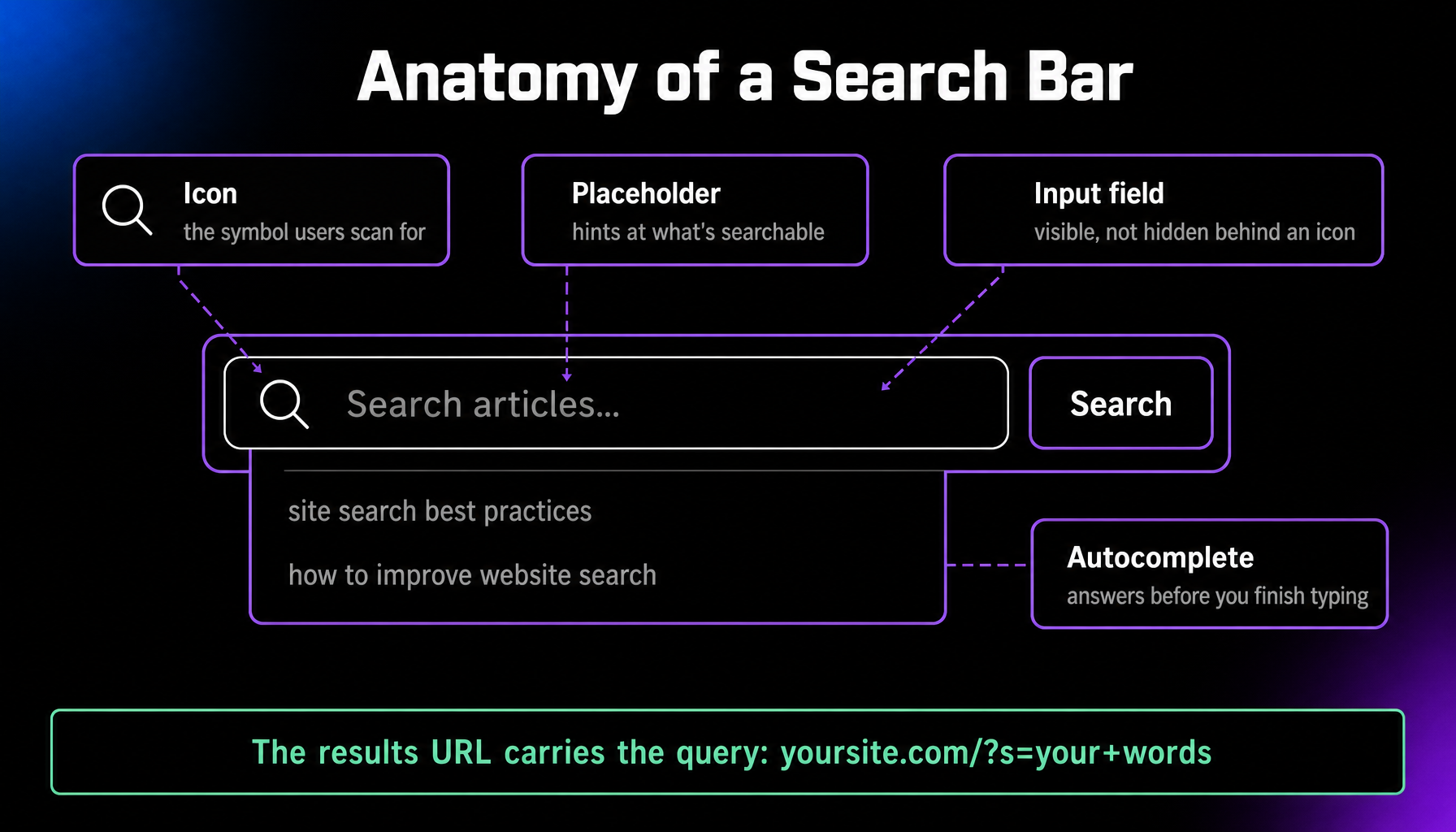
A search bar is the input field on a website, app, or browser where you type what you’re looking for. On a website, it drives internal site search: the site takes your words and returns its own pages that match, helping visitors skip the navigation and jump straight to the content they want.
More About Search Bars
On a large site, the search bar is often the fastest route to the right page. Instead of guessing which menu holds the answer, a visitor types a few words and goes straight there. Those searches are useful to you, too: they tell you exactly what visitors want, in their own words.
How a Website Search Bar Works
When someone submits a search, the site runs the words against its own content and returns a results page. In WordPress, this is built in: every site answers a query parameter (you’ll see it as ?s= in the results URL) and ships a default search results template. Since version 3.7, WordPress has ordered search results by relevance rather than just date, weighting title matches and favoring results that contain your whole phrase. The engine still stays basic: it doesn’t handle typos, synonyms, or word stems, and it skips custom fields and products. That’s why many sites add a search plugin or an external service as they grow.
How to See What Visitors Are Searching For
Track it in Google Analytics 4. Enhanced Measurement is on by default, so GA4 records site searches automatically. When a visitor lands on a results URL with a common parameter (s, q, search, query, or keyword), it logs a view_search_results event with the term attached. Review those terms often. Searches that return nothing are a ready-made list of content to create, and heavily searched topics deserve a spot in your navigation.
Better Search: Plugins and Hosted Services
For WordPress, plugins such as SearchWP and Relevanssi replace the default engine with relevance-ranked, typo-tolerant search that can also index custom fields and products. For larger or custom-built sites, hosted search services like Algolia provide instant results-as-you-type from their own infrastructure, with analytics built in.
Search Bar Design Basics
Make it easy to find and obvious to use. Put the field where people expect it, near the top of the page, and show a real input box instead of a lone icon, because a hidden search loses the visitors who never spot it. Placeholder text should hint at what’s searchable, so people know the scope before they type. Plan for the empty search, too: when nothing matches, offer close alternatives instead of a dead end. On content-heavy sites, autocomplete helps by steering people toward a query that will actually return results.
Frequently Asked Questions
Custom Website Design
Get a one-of-a-kind, mobile-friendly website that makes your brand truly shine. Share your vision with us and we'll take it from there.
Custom Web Design